
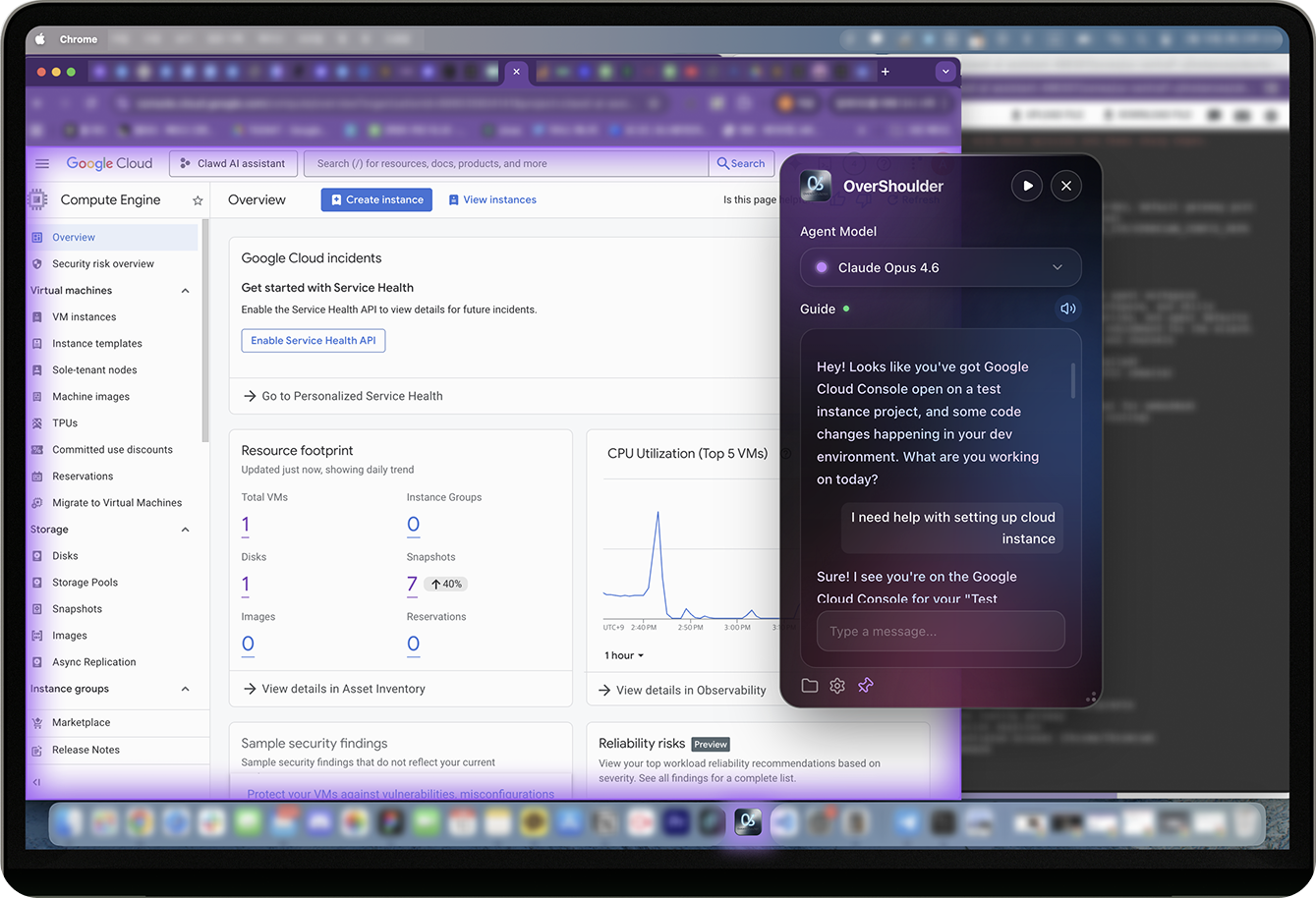
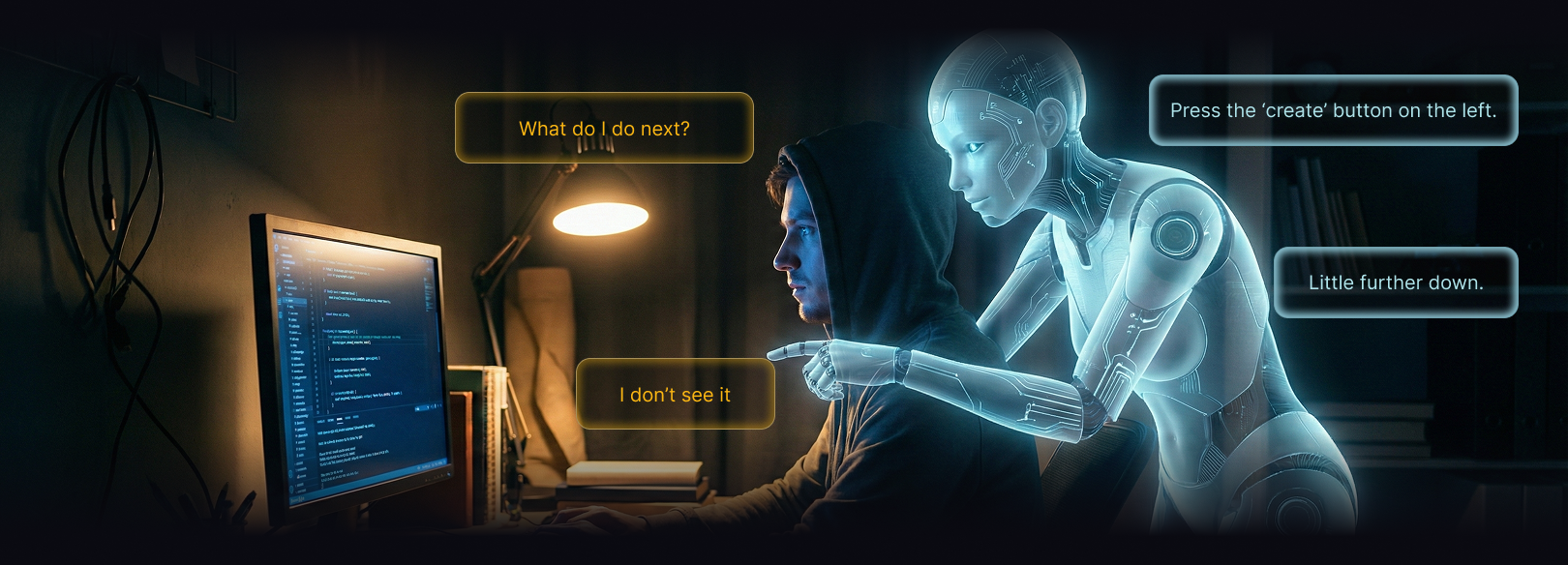
Share your screen and get real-time AI guidance.
No more copy-pasting screenshots.
7 days free. No credit card required.
Trusted by builders and learners
"I built this because I was tired of switching between 3 AI tabs and pasting screenshots. Now I just share my screen and talk."
"My team replaced 3 separate AI subscriptions. The screen coaching alone saves us hours of back-and-forth every week."
"As a non-technical founder, I was stuck on deployment errors for days. With OverShoulder, I shared my screen and shipped in 30 minutes."
A simple pipeline: your screen becomes AI context, in real-time.
Ask the same question to Claude, GPT, and Gemini simultaneously. Each model debates and refines ideas across multiple rounds, then export the entire discussion as a professionally formatted PDF report.
One command, multiple specialist agents working in parallel. Type /market-audit and 6 agents analyze SEO, pricing, content, and conversion — then synthesize a complete report.
CORS error detected. Add this middleware to your Express server to fix it...
AI reads your screen and browser in real time for precise guidance. Sensitive data is auto-redacted before leaving your browser.
Switch between Claude, GPT, and Gemini — your Memory Box follows. Stored locally on your device, never uploaded to any server.
Starting Project or Startup?
See how OverShoulder transforms your daily workflow with real-time AI guidance.
Knowledge Packs teach your AI about apps. Skills give it superpowers. Install once — smarter forever.
Step-by-step guides for the apps you use every day. AI reads your screen and auto-matches the right guide.
23 Packs · 3,758 Guides






Actions your AI can perform — search the web, translate, summarize documents, analyze data. Type /skill to browse and install.
26 Skills · Growing weekly
Browse the Knowledge Store and install packs or skills with one click
Packs activate when AI sees the app on screen. Skills run via /commands.
Every pack and skill you install makes your AI more capable and accurate
Other AIs are generic. OverShoulder learns the apps you use.
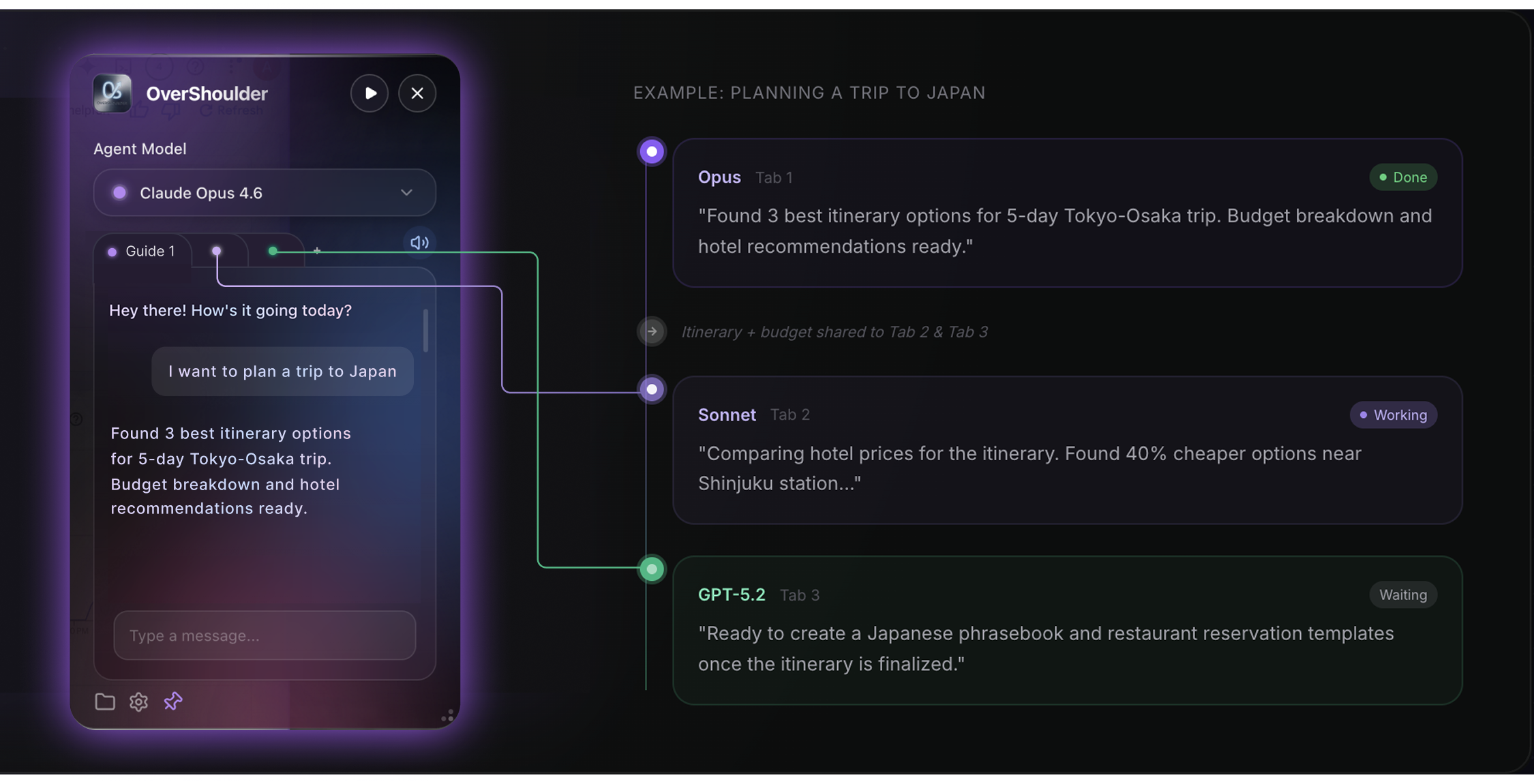
Multiple AI models working together in parallel tabs — each specializing in what it does best, sharing context in real time.


Put Claude, GPT, and Gemini in the same room. Each model argues its perspective across multiple rounds, and a synthesis agent distills the best answer — then export the full debate as a premium PDF report.
Type a slash command and a team of specialized agents executes a full workflow — market audits, code reviews, pitch decks — delivered in one structured report.
Run parallel tabs with different models at the same time. Each agent works independently on its own thread — coordinate them or let them race to the best answer.
AI that remembers you — your preferences, your context, your conversations. Stored safely on your device, used to give you smarter, more personal answers every time.
As you chat, key facts are automatically extracted and stored: your preferences, work context, past decisions. Next time you ask, AI uses this memory to give precise, fact-based answers instead of generic suggestions.
When you enable screen sharing, the capture may be relayed transiently through Central to your selected AI provider and is not retained by Central after the request. Privacy modes give you control.
Your memories never leave your device. No cloud sync, no third-party access. Full privacy by design — not by promise.
AI remembers your preferences, past conversations, and decisions across sessions. No more repeating yourself — it already knows your context.
Unlike ChatGPT or Claude.ai, OverShoulder remembers you across sessions and models — your AI assistant that truly knows you.
One subscription for all AI models. Screen coaching included.
|
ChatGPT Plus | Claude Pro | Gemini Adv | |
|---|---|---|---|---|
| Monthly Price | $17.99 | $20 | $20 | $20 |
| Multi-Model | ✓ 3 Models | ✗ | ✗ | ✗ |
| Real-Time Screen | ✓ | ✗ | ✗ | ✗ |
| Voice Chat | ✓ | ✓ | ✗ | ✓ |
| Desktop Overlay | ✓ | ✗ | ✗ | ✗ |
| Memory | ✓ | ● | ● | ✗ |
Bring your own keys, use any model
For power users
Most generous plan
Need more credits? Top up anytime.
| Basic (BYOK) | Pro (Credits) | |
|---|---|---|
| Monthly cost | $4.99 + API | $17.99 |
| Model access | Your keys | All models |
| Credit limit | Unlimited* | 1,800/mo |
| Screen Coaching | ✓ | ✓ |
| Council Mode | ✓ | ✓ |
| AI Skills | ✓ | ✓ |
| Setup | API key required | Instant |
* API costs billed directly by each provider
Points consumed each time you use AI. One chat = 1-12 credits (depending on model). Pro includes 1,800 credits/month — enough for 600+ chats.
ChatGPT Plus only offers GPT models and can't see your screen. OverShoulder gives you Claude, GPT, and Gemini in one app, with real-time screen analysis and coaching.
Bring Your Own Key. Connect your own API keys to use AI models. Available on the Basic plan.
It depends on where you live. In South Korea you can ask within 7 days of a payment; in the EU, EEA and UK, within 14 days. You get back the share of that payment for credits you haven't used (on Basic, the days left), plus the matching tax, with no fees taken off; credits you've already used aren't refunded. Elsewhere, including the US, payments aren't refundable unless your local law requires it. To ask, email support@overshoulder.ai with your order number. You can also cancel any time: your plan runs to the end of the month you paid for and isn't charged again.
Desktop app downloads are temporarily paused while we finish the next signed beta build.
Screen sharing starts only when you enable it. In Central Platform mode, your prompt, supplied context, system instructions, and any screen or reference image are relayed transiently through Central to the AI provider you select. Central does not retain those raw inputs or raw generated response or image after the request. We retain account/authentication, credits/billing, provider/model, input/output usage, and a keyed one-way request digest for service operation and abuse prevention. Providers process requests under their own policies. Memory Box remains local to your device with no cloud sync.
No worries — you have two options. You can purchase a Top-up voucher anytime to instantly add more credits (available in 25%, 50%, 70%, or 100% packs starting from $4.99). Or, if you find yourself running out regularly, you can upgrade to a higher plan — Deluxe gives you 6,000 credits/month, our most generous allocation. Your existing conversations and Memory Box data are always preserved regardless of your credit balance.

Desktop overlay app. Multi-model AI + screen coaching + voice.

Native Windows 10/11 application.

iOS/Android app. Memory sync with desktop.

Team memory, admin dashboard, SSO authentication.

Personal knowledge engine that understands your local files.
Desktop overlay app. Multi-model AI + screen coaching + voice.
Native Windows 10/11 application.
iOS/Android app. Memory sync with desktop.
Team memory, admin dashboard, SSO authentication.
Personal knowledge engine that understands your local files.
We are finishing the next signed build. Leave feedback below and we will notify you when it is ready.
macOS and Windows builds are temporarily paused for quality checks. · Coming soon
Help us build the AI assistant you actually want. Every response is read by our team.